 Mosheמשה
My writing app, over a folder of plain Markdown files
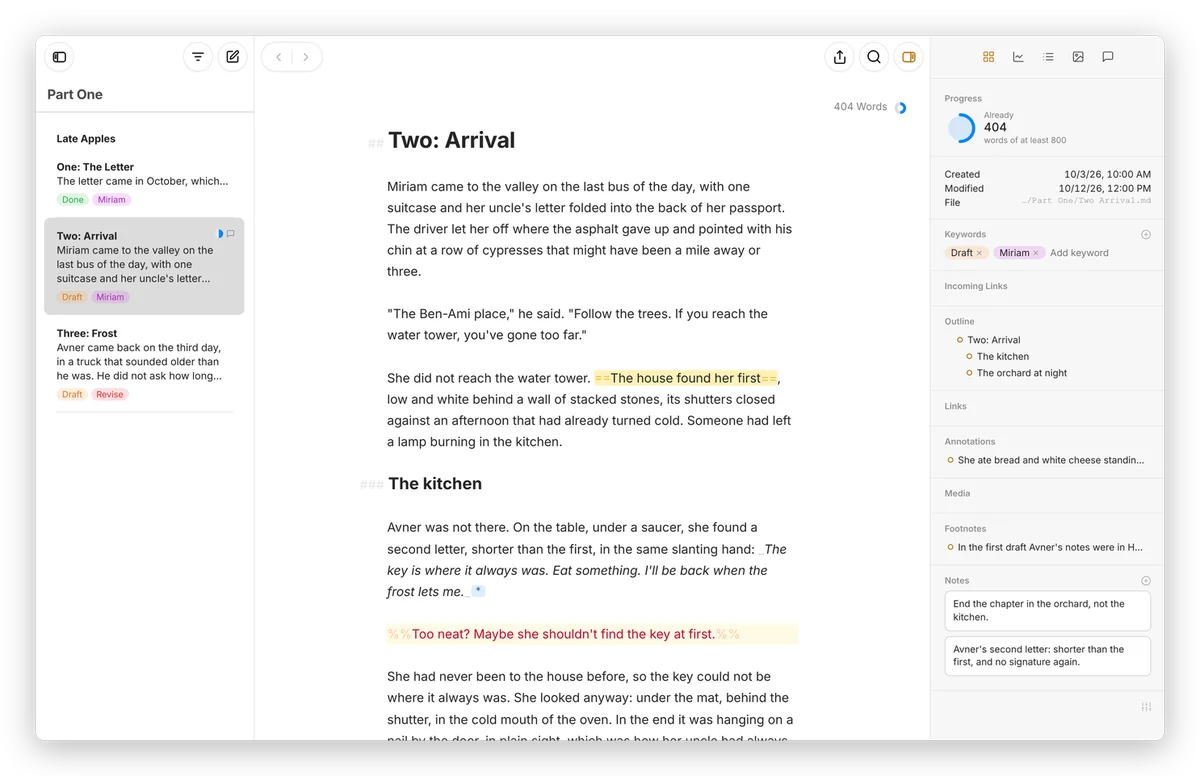
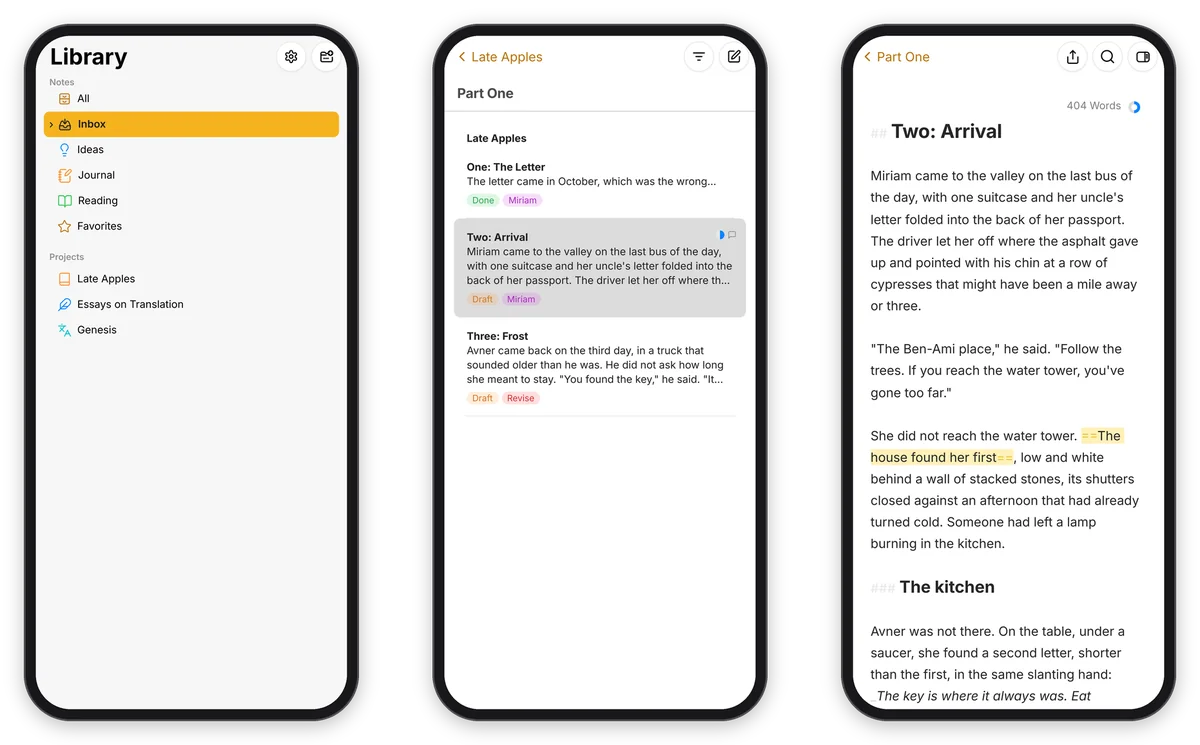
Moshe is where I write: a library on the left, the sheets in the middle, and a quiet editor where the Markdown stays in the text but greys out of the way. Every sheet is a plain .md file in a folder that's YOURS, so Obsidian or any text editor can open the same writing. The real one runs on my own server behind a password, so there's nothing to sign up for here, but the whole app is right below, running in your browser on a made-up library.
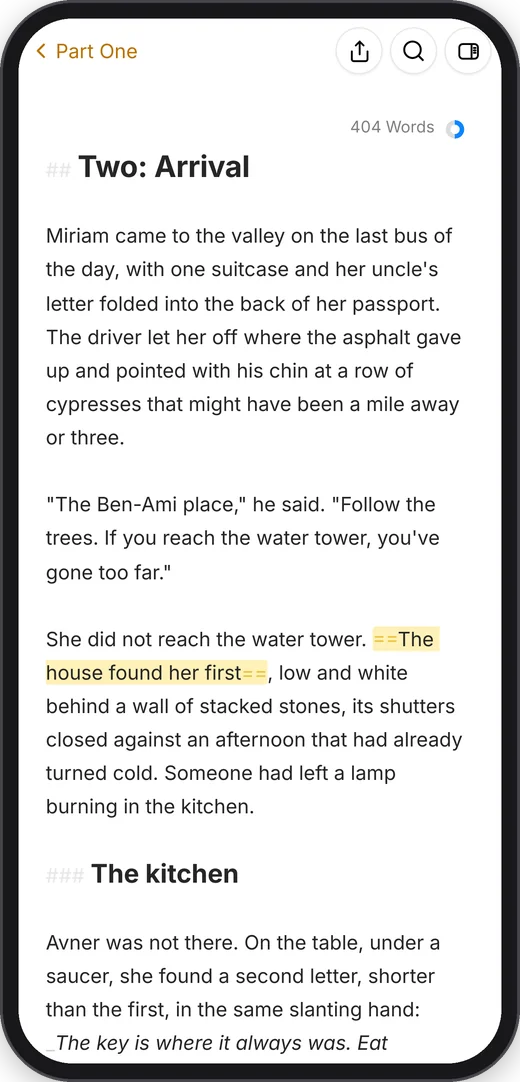
Try the real app, on a made-up library.
It opens full screen, one pane at a time, the way it works on a phone. Whatever you write stays in this browser.
- It opens on Getting Started, a few sheets I wrote for new people. Type in them, they're yours.
- Open Late Apples under Projects for a novel in progress: keywords, a goal ring that fills as you write, a footnote, a comment and a note on a phrase.
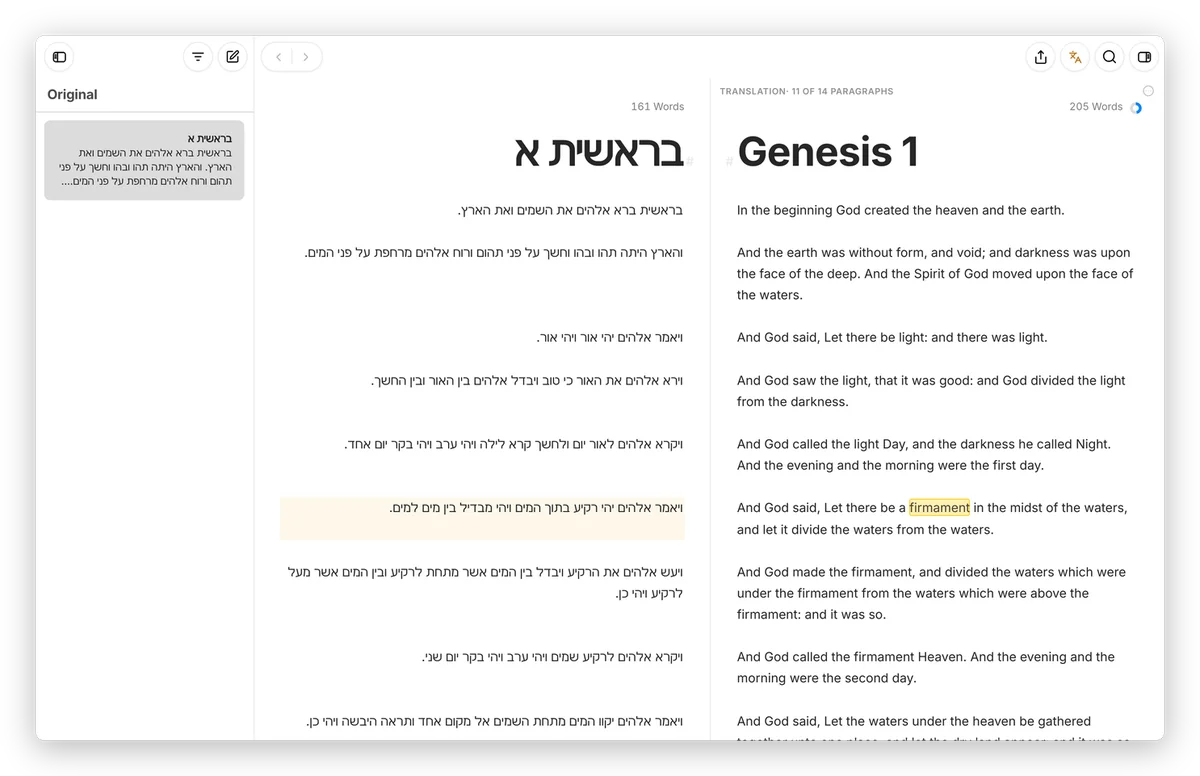
- In Genesis, the translate button at the top right puts the Hebrew and the King James side by side, paragraph by paragraph.
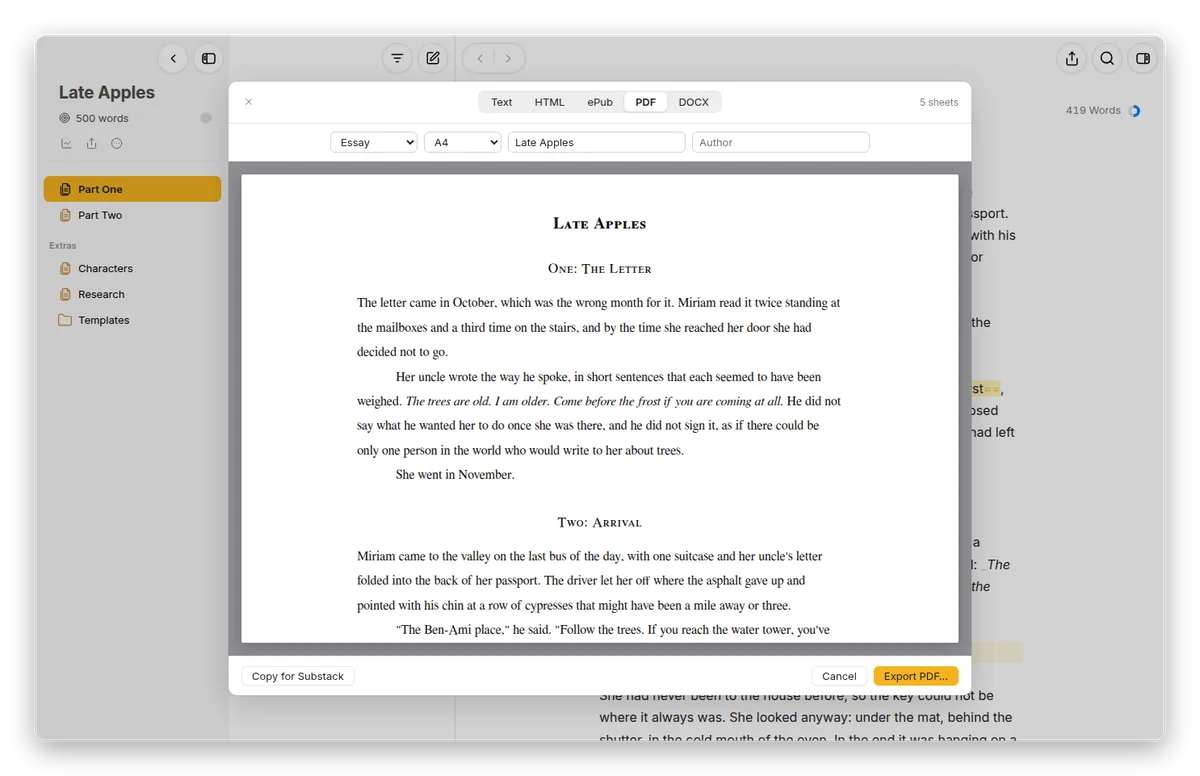
- The export button makes a real PDF, Word file or ePub, right in the browser, and Settings has the themes.
What it does
A library for long texts. Notes with an Inbox, and projects with their own groups, so a book can be chapters, a chapter can be scenes, and the research sits beside them in Extras. Sheets glue together to read as one text, and keywords, filters and goals keep the whole thing in order.
Plain files underneath. A group is a folder and a sheet is a Markdown file, with a small .moshe.json for the order and the colours. Highlights, comments and footnotes are written the way Obsidian writes them, and if two devices change the same sheet, Moshe merges them paragraph by paragraph instead of leaving a conflict copy.
Translation, side by side. The original and the translation, paragraph beside paragraph, kept level as you write, with Hebrew running right to left and the spelling checked in both languages, offline.
Out the door. PDF, Word, ePub, HTML and Markdown in seven styles. A Word file is a real one, and in the Revision style your deletions and insertions arrive as tracked changes and your comments as Word comments.
On every device. The web app, a Mac app and an Android app, all working on the same folder, with backups kept by the server and WebDAV sync for a phone without Syncthing.
From the full app
Running your own
You'll need a computer that stays on and Docker. The server is one small Node program with no dependencies: point it at a folder, set a password, and that's about it. The Mac and Android apps are built from the same repository, and the docs walk through all of it the way I'd explain it sitting next to you.
Run your own Docs Back to stuffs
Moshe is free software under the GNU GPL, version 3 or later. Nothing you type on this page leaves your browser. The novel, the essays and the notes are made up, and Genesis is the Hebrew text beside the King James, both in the public domain.