 Dvarimדברים
My to-do app, where every to-do is a line in a Markdown file
Delete the app tomorrow and your to-dos are STILL there, as plain text you can open in Obsidian or anything else. It runs on my own server, so there's nothing to sign up for here, but you can try the real app right below, running in your browser on made-up to-dos. Go ahead and poke at it.

Try the real app, on made-up to-dos.
It opens full screen. Whatever you do stays in this browser, and nothing is sent anywhere.
Try it Reset the demoWhere to tap
The + button adds a to-do. On a computer it's in the bar at the bottom of the list. On a phone it's the round one, and you can drag it into the list.
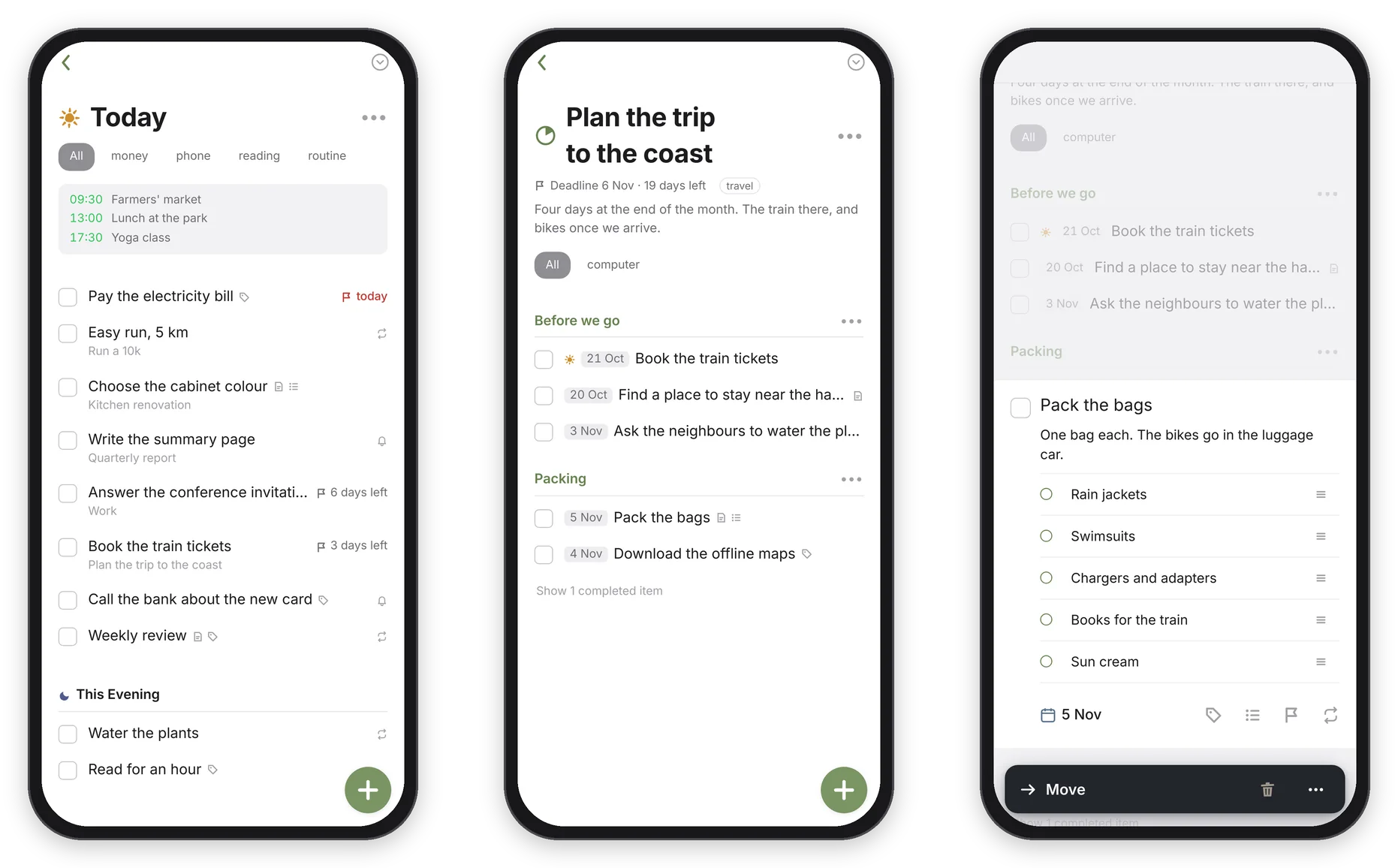
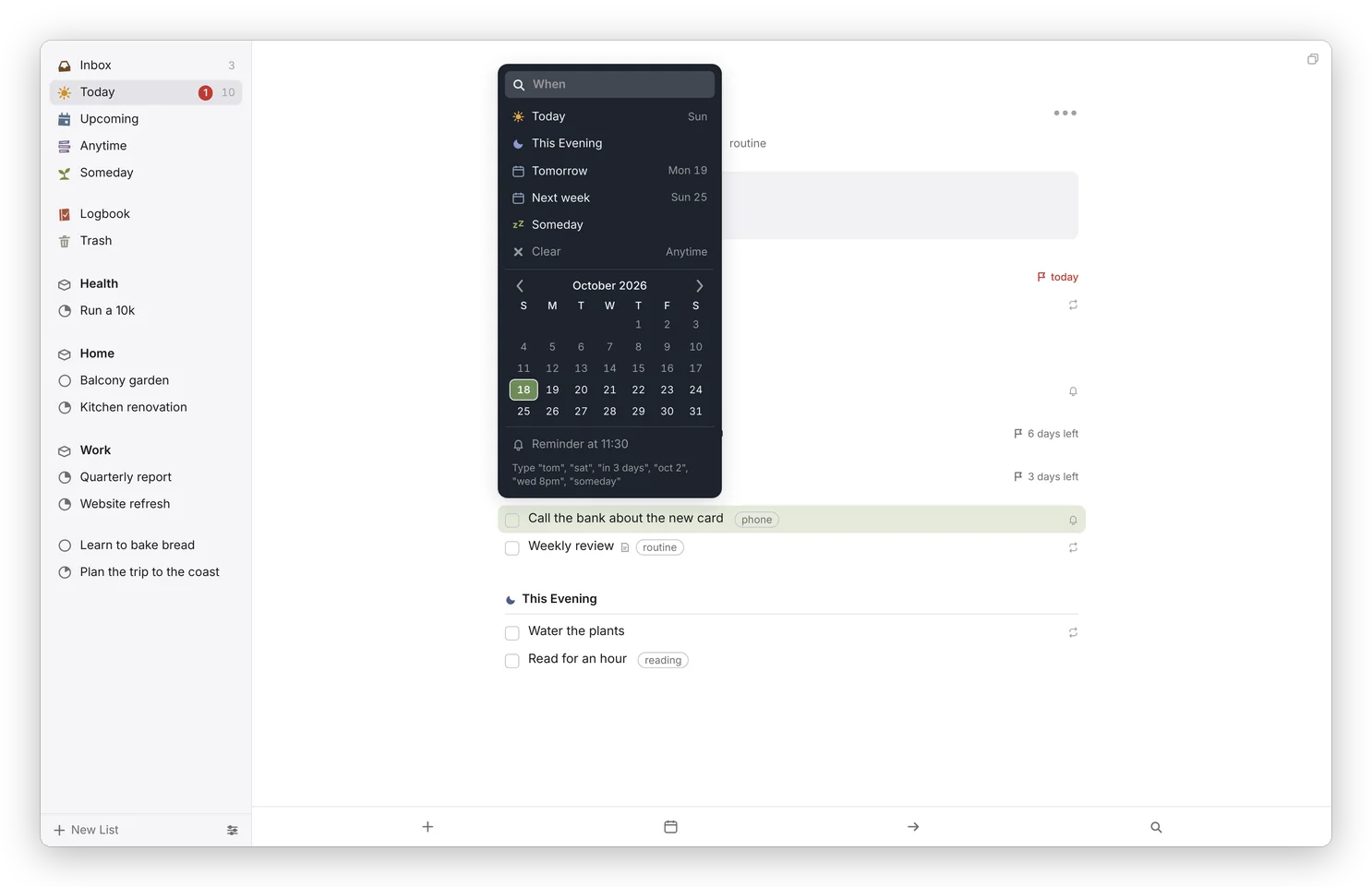
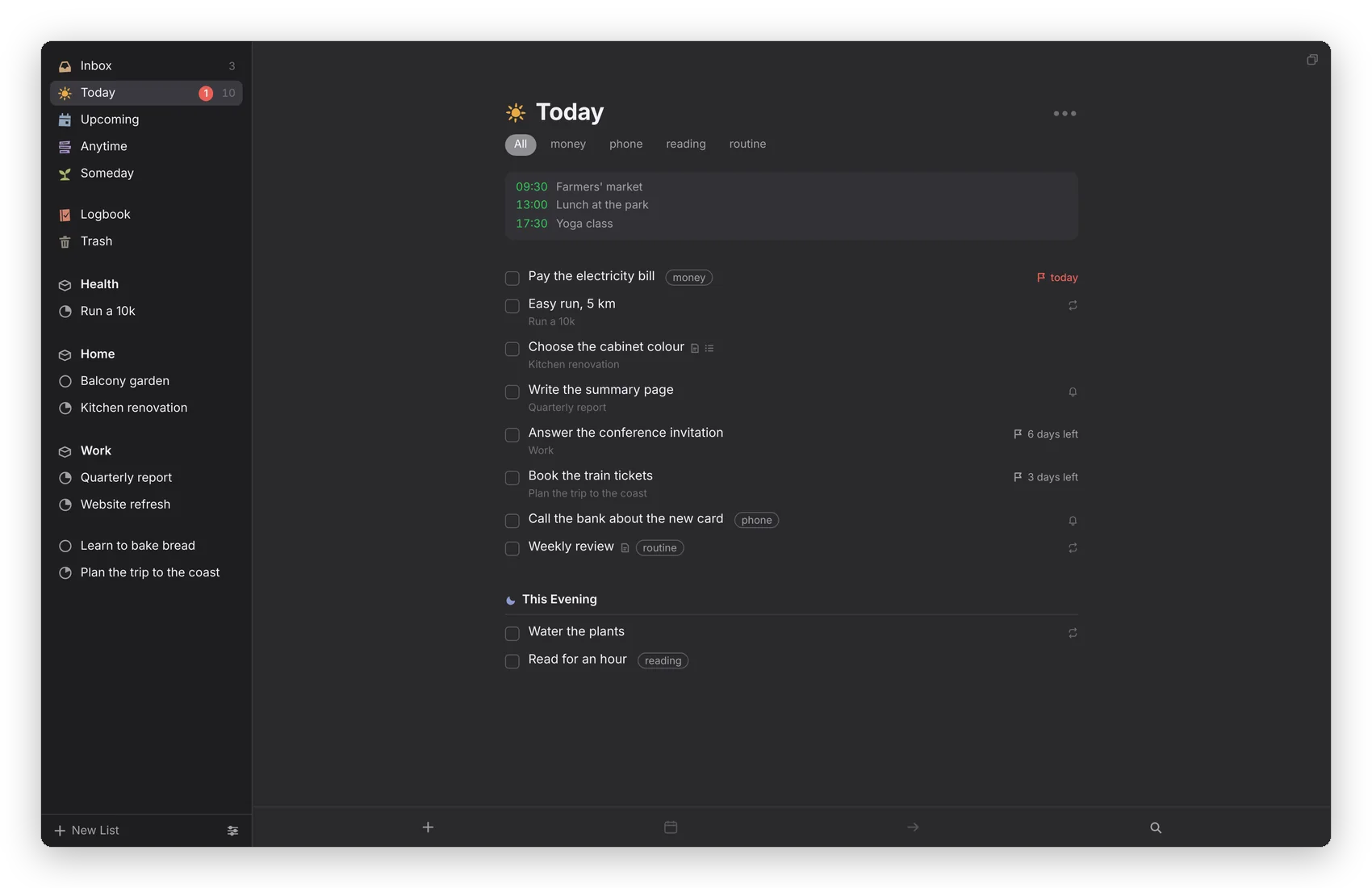
Today is what you're doing today. Tick a box and the to-do goes to the Logbook.
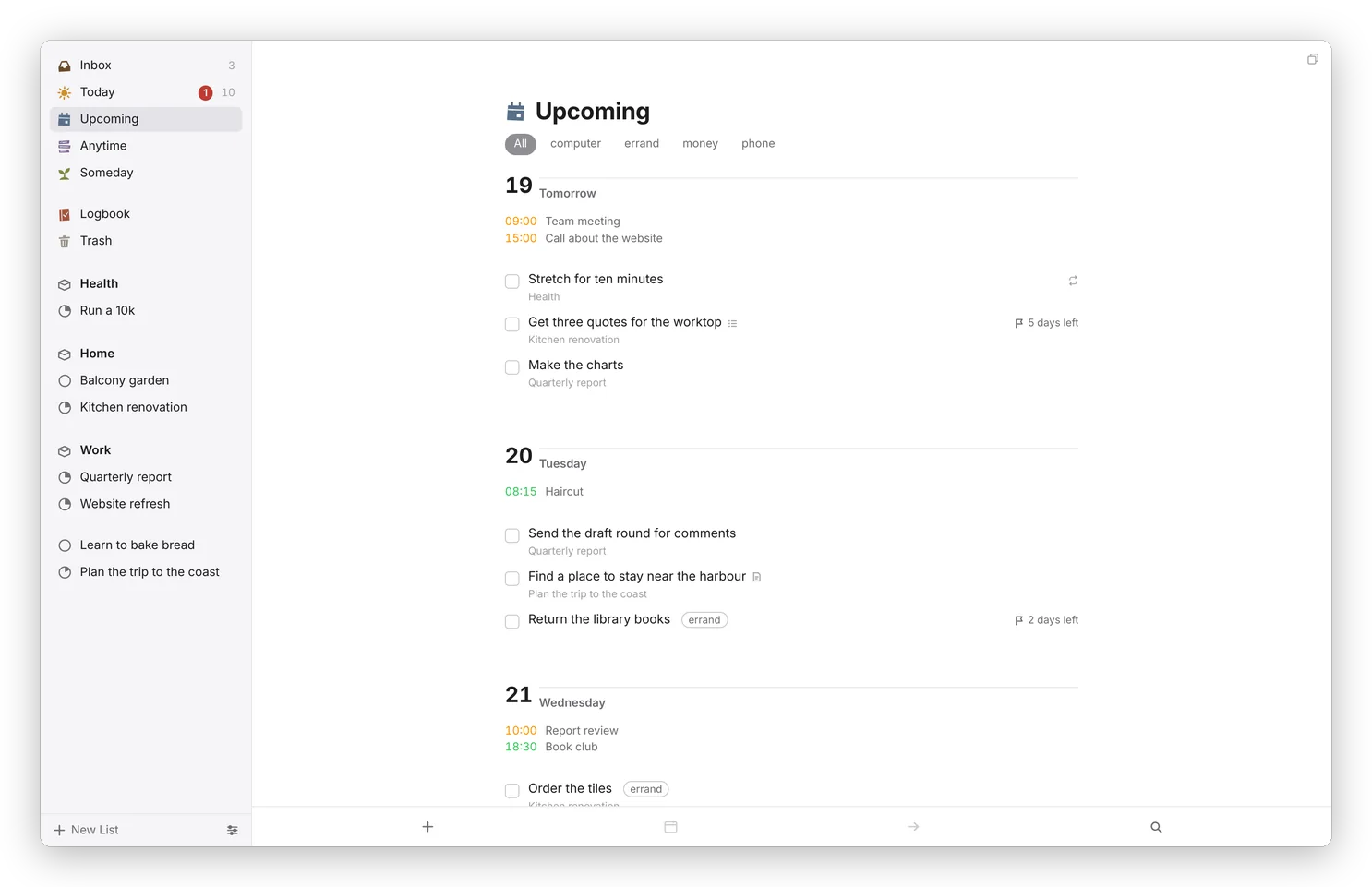
Upcoming is the next few days, one by one. Give a to-do a day and it waits there until that day comes.
A project, like Plan the garden, has headings and a little pie that fills up. Meet Dvarim is the tour I wrote inside the app, where every to-do is something to try.
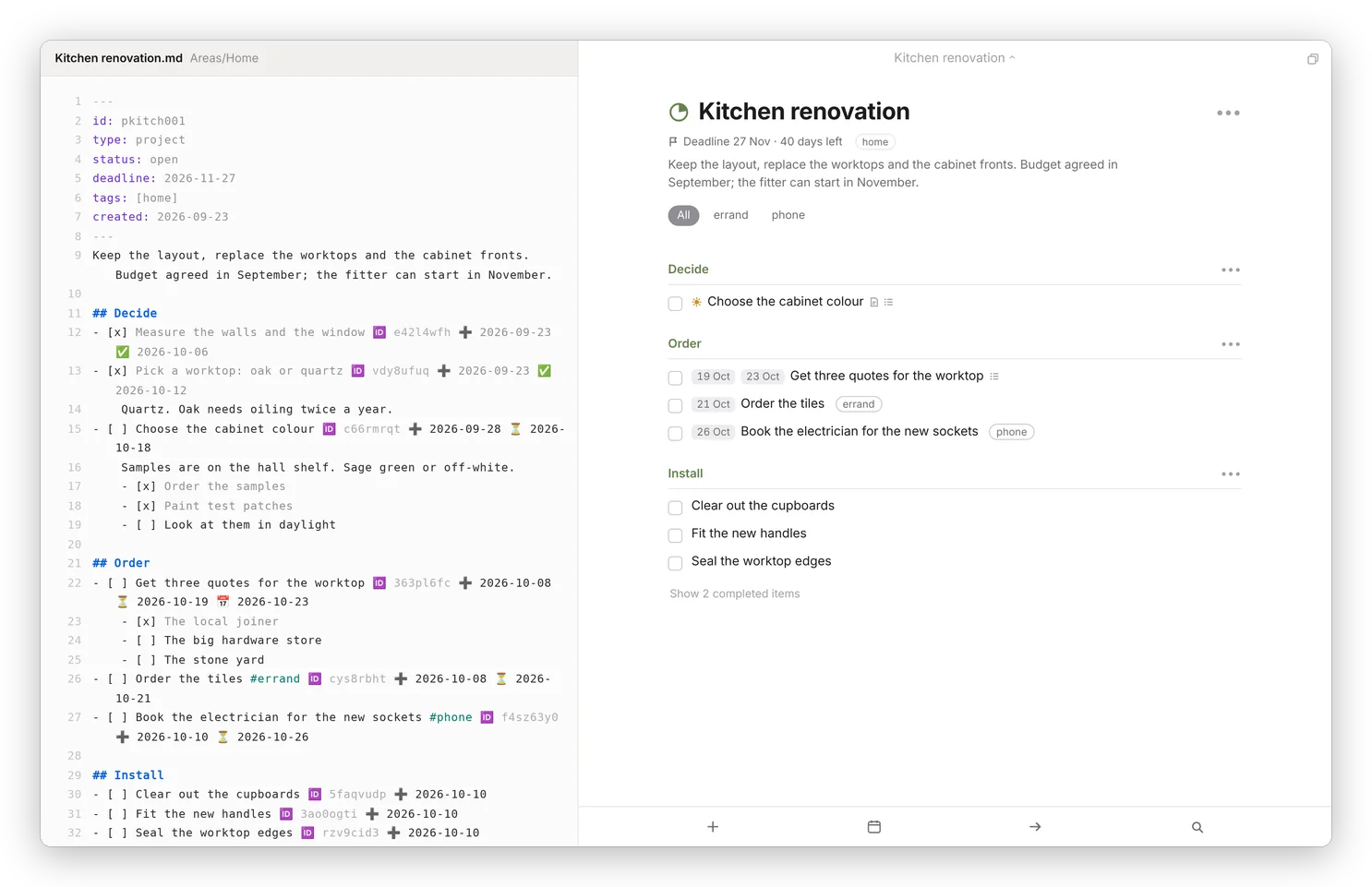
It's all Markdown. In a project, the ••• menu has "Edit the note itself", which opens the actual file.
From the full app
What it does
I wanted a Today list, This Evening, and the difference between the day I'll start something and the day it's due. I also wanted my to-dos to live where everything else I write lives: in Markdown files I own, that sync to every device I have. So I built Dvarim (Hebrew for "words", and also the things on your plate).
Underneath there's no database at all. An area is a folder, a project is a Markdown file, and a to-do is one line in it, in the same format the Obsidian Tasks plugin uses. So I can open my to-dos in Obsidian like any other note, change them there, and the app picks the change up a moment later.
On top of the files it's a full to-do app: the Inbox, Today with This Evening, Upcoming, Anytime, Someday and the Logbook, with areas, projects and headings, checklists, notes, tags, repeats and reminders, and a keyboard shortcut for nearly everything. You type dates the way you'd say them ("tom", "fri", "in 3 days") and it understands.
It works on every device I have. The web app keeps a full copy of the to-dos, so it works offline. The Mac app has Quick Entry from any app and Today in the menu bar, and the Android app has a widget you can tick things off from. When two devices change the same file, Dvarim merges them to-do by to-do, so nothing gets lost.
It also gets along with the rest of my server. Events from my calendar sit at the top of Today, my to-dos can show up in Tasks.org, and my Signal bot adds one with a single message.
Run your own
Dvarim is one Docker container and a folder of Markdown. Point it at a folder (an Obsidian vault works fine), set a password, and open it in any browser. The Mac and Android apps are built from the same repository, and the docs walk through all of it, from the first command to calendars and inviting your family.
Run your own Docs Back to stuffs
Dvarim is free software under the GNU GPL, version 3 or later. This page doesn't send anything anywhere: the demo's to-dos live in your browser's storage until you reset them or clear it.